

On this page
A menu scan is only as accurate as the text it can read and what the kitchen has chosen to say. Across a test of 300 restaurant menus, eatova (formerly AlignEat) reached about 93%, and the realistic ceiling for automated reading is 95% to 97%. That makes allergen scanning app accuracy a useful number, as long as you know what it covers and what it can't.
What accuracy means for a menu scanner
Any accuracy figure hides two separate questions. The first is whether the app read the words on the page correctly. The second is whether it knows what those words mean once a dish reaches the table, because menus rarely tell the whole story. Caesar salad doesn't mention anchovies, and nothing on the page will tell you that it should.
Neither question reaches the kitchen. Restaurants can change a recipe, substitute an ingredient or introduce cross-contact during preparation, and none of that appears on a menu. So when you compare apps, ask what a score was measured against. A high number for reading text says little about what's in the sauce, and a high number for matching ingredients says nothing about tonight's fryer.
What we measured, and what it showed
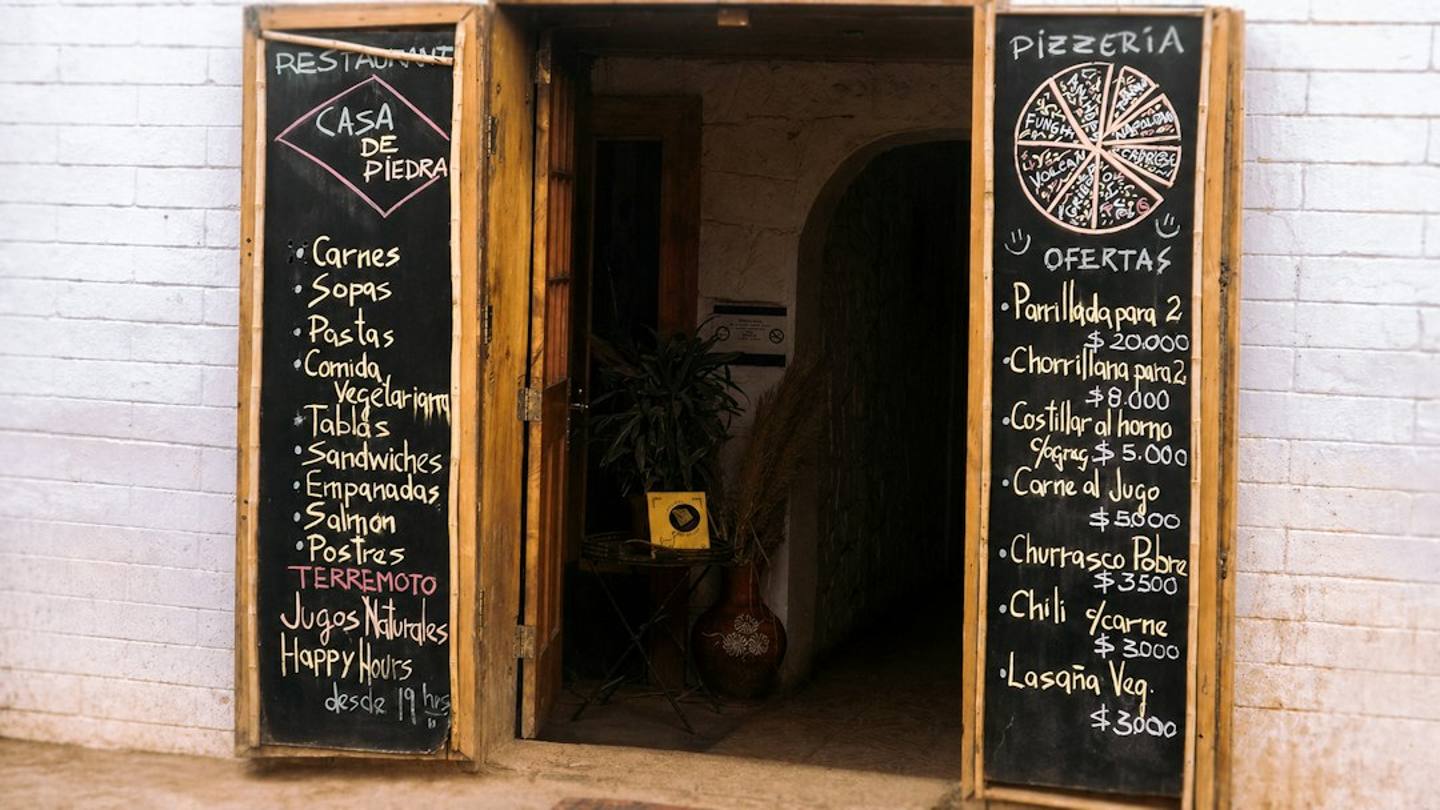
We ran 300 restaurant menus at once, a mix of handwritten, chalkboard and QR menus, against about 500 allergens. Our menu-decoding accuracy rose from 79% to about 93%.
Two changes moved it. We restructured the ingredient knowledge base, and we added a fine-tuned model that judges each result. We're an AI-powered decoder: we use AI to extract and match information against real food and allergen databases, so the databases carry the weight.
No automated check is perfect. The realistic ceiling for automated menu decoding is 95% to 97%, because some of what you need to know was never written down. An app that promises certainty is promising something a menu can't give. If you've wondered why this is harder than scanning a packet, we looked at whether food scanner apps read restaurant menus or only barcodes.
Where a menu scan goes wrong
These are the patterns to watch for, with what you can do about each one.
What goes wrong | Why it happens | What to do |
|---|---|---|
Handwriting or chalk is hard to read | A special only scans where it's clear enough to read | Move closer, or ask staff what's in the dish |
The photo is dark, bent or cut off | Part of the text never reaches the scan | Keep the menu flat, well lit and readable, and capture the whole page |
The dish name leaves things out | Caesar salad doesn't mention anchovies, and tempura doesn't always mention shared fryer oil | Read why the dish was flagged, then ask about that detail |
The recipe has changed | Kitchens substitute ingredients and the menu stays the same | Confirm the ingredient that matters to you |
Cross-contact in the kitchen | It happens during preparation, so no menu records it | Tell staff about a severe allergy before you order |
This isn't only our limit. Allergy Translate's listing says its menu scans review visible menu text only, and Thomas AI's says it doesn't guarantee accuracy. Both are fair warnings.
What the app does when it is not sure
Every dish in eatova resolves to one of three answers: Compatible, Ask or Avoid. Missing information always means Ask, never Compatible. If we can't confidently verify a dish, we'll tell you. We never guess.
An Ask comes with a specific question to take to the kitchen, and our guide to questions restaurant staff can actually answer shows how to use it. If a result looks wrong, tap Report on the dish. Every report is reviewed by our team.
Treat the scan as your first read of the menu, with the kitchen as the last word. We can't verify how food is prepared or whether cross-contact has occurred, so if you have a severe allergy, always tell staff before you order. See how a menu is read, then try it on the next menu you're unsure about.
Frequently Asked Questions
How accurate are allergen scanning apps?
Ask how a score was tested. Ours reached about 93% across 300 menus; the realistic ceiling is 95% to 97%.
Should I trust an app over asking the restaurant?
No. Use the app to prepare your questions, then let the kitchen confirm anything that matters to your safety.