

A little more clarity.
Find answers about the app, your profile, subscriptions and eating out.
General
What is eatova?
eatova is an AI-powered dietary intelligence app that scans restaurant menus and helps you identify dishes that match your allergies, intolerances, religious dietary requirements, lifestyle diets and personal dietary preferences.
How does eatova work?
Simply scan a physical or digital menu with your phone. eatova uses a multi-layer dietary intelligence and an AI system to identify dishes, analyze ingredients, and compare them against your personalized dietary profile.
Is eatova available in my country?
eatova is on the App Store and Google Play. Availability depends on your country’s store, so search for eatova in yours.
Which languages does eatova support?
eatova reads menus in many languages, and your Dietary ID and Quick Phrases can be translated for kitchen staff. The app shows the current list of translation languages.
Scanning & Features
Does eatova guarantee a dish is safe?
No. eatova helps you make more informed dining decisions by analyzing menus and identifying potential dietary concerns, but it cannot verify how food is prepared or whether cross-contact has occurred. Always inform restaurant staff about severe allergies or medical dietary requirements.
Which dietary restrictions does eatova support?
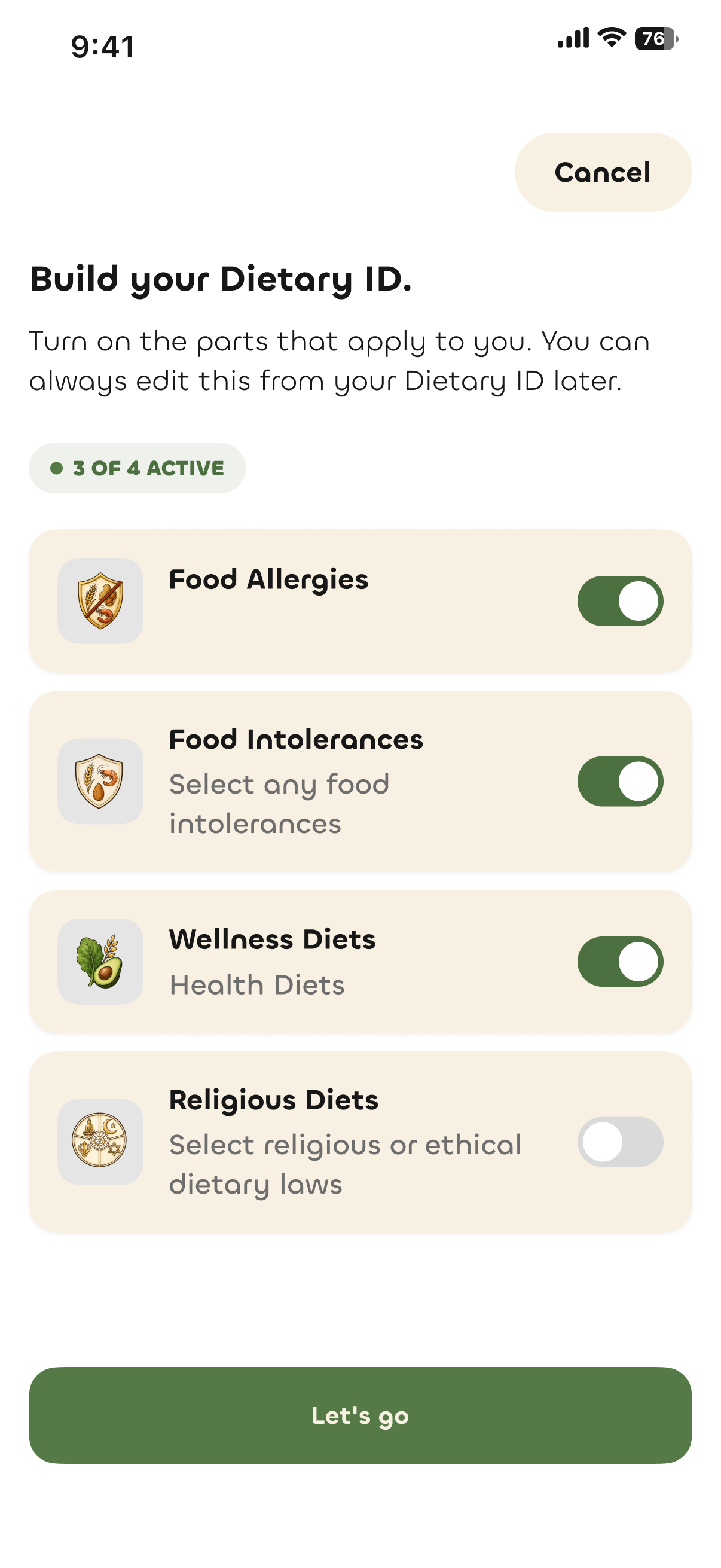
eatova supports:
Food allergies
Food intolerances
Religious dietary requirements (such as halal and kosher)
Lifestyle diets (vegan, vegetarian, pescatarian, etc.)
Health-related dietary preferences
You can also add your own custom allergens to your profile.
What is Group Mode?
Group Mode combines multiple dietary profiles so you can quickly find dishes that work for everyone at the table.
Does eatova work when travelling abroad?
Yes. eatova reads menus in many languages, and you can show your Dietary ID or use Quick Phrases translated for the kitchen, so your needs reach the chef clearly. Confirm with staff that they understand.
What is the difference between halal and halal-certified?
Halal describes a dish’s ingredients and preparation; halal-certified means an independent authority has certified the food or the restaurant. eatova checks each dish’s ingredients and description against halal in your profile, but it does not verify certification or tell you which restaurants or dishes are certified. If certification matters to you, ask the restaurant.
Pricing & Billing
Is there a free plan?
Yes. Free use is limited to 2 menu scans and 2 translations each week. Guests without an account and signed-in free accounts get the same allowance, and it renews every week. New accounts also get a 7-day free trial with full access to every feature.
What's the difference between Solo, Couple and Family?
The plans differ mainly in the number of dietary profiles they include.
Solo: 1 profile
Couple: 2 profiles
Family: Up to 5 profiles
Family Plus: Up to 10 profiles
Can I cancel anytime?
Yes. You can cancel your subscription at any time, and you'll continue to have access until the end of your current billing period.
Privacy & Data
What data does eatova collect?
eatova collects what it needs to run the service: your account details, dietary profile and scan history, purchase information, usage and diagnostics data, device identifiers, and your location if you allow it (to show restaurants near you). The App Store and Google Play privacy sections list exactly what is collected.
With your consent, anonymized and aggregated data may be used to support food allergy, nutrition, and public health research.
Is my health data secure?
Yes. Your data is encrypted both in transit and at rest. We follow industry best practices and applicable privacy regulations, including GDPR.
Can restaurants see my dietary profile?
No. Restaurants never have access to your dietary profile, scan history, or personal account information.
Do you sell my data?
No. eatova does not sell your personal data, does not use it for advertising, and does not track you across other companies’ apps and websites. eatova is funded through subscriptions, not advertising.
Technical Support
Can I use eatova offline?
Not at the moment. eatova requires an internet connection to scan and analyze menus. This ensures you receive the latest dietary intelligence, ingredient analysis, and AI-powered recommendations.
Which devices are supported?
eatova is available for iPhone (iOS 16.4 or later) and Android (Android 7.0 or later).
How do I report an incorrect safety rating?
Open the scan results and tap “Report an issue with this scan”, then pick a reason and tell us what’s wrong, for example which dish. Reports are per scan, not per dish, and you need to be signed in to send one. Every report is reviewed by our team and helps improve future analyses.
No matching questions. Try another word or contact us.

Still need help?
Tell us what you could not find and the team will reply by email.
